
Windows tray notifier · Azure DevOps & GitHub · not a cat
Know the state of your builds and pull requests.
With flair.
Greenlight watches your pipelines and pull requests on Azure DevOps and GitHub, and makes sure you notice. Every event gets its own sound, a stoplight sits on your desktop, and an open SDK lets anything — taskbar cars, a lava lamp, a laser sabre — turn red the moment a build breaks. Free for 5 pipelines and 5 repositories, for as long as you like.
- $0
- Free tier, no expiry
- 8
- Events with a sound
- 1
- Desktop stoplight
- 12
- Clients to play with
Section 01 — Evidence
The window you'll call home
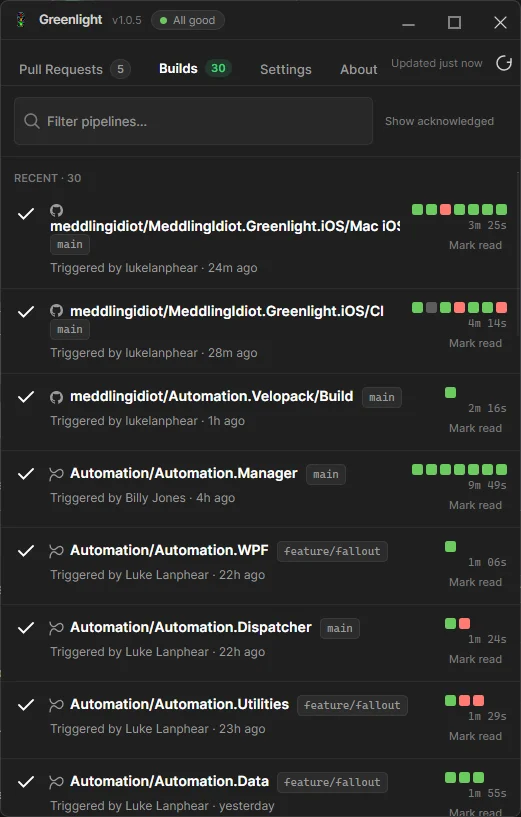
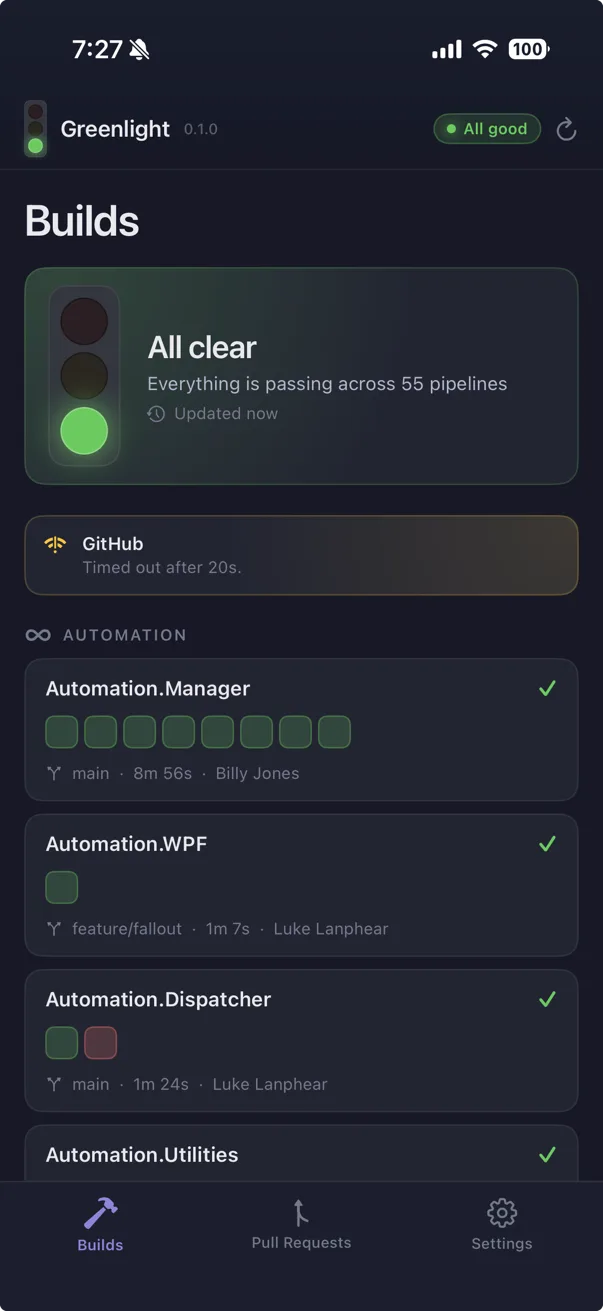
Every run grouped by pipeline, with its branch, its duration, and a row of coloured squares showing recent history at a glance. Click any run to open it in your browser.
The Builds tab, honestly captured. Some of those squares are already red.
Section 02 — Versus the cat
The cat is very good.
The cat is also very serious.
Let's be fair to the cat. It watches Jenkins, TeamCity, GitLab and half a dozen other CI servers; today we watch two. That's not a principle, it's a running order: we built the fun first — the noise, the stoplight, the things that go red — and more platforms are on the way. If your company runs on TeamCity and can't wait, go and get the cat, and give it our regards. We'll catch up.
02.A
It makes noise
A sound for every event. Bring your own .wav. The office learns who broke main by ear.
02.B
A stoplight, built in
An actual traffic light on your desktop, always on top, never in the way. Flashes while it builds.
02.C
Clients
Cars that pile up at a red light. A lava lamp. A laser sabre. All wearing your build's colour.
02.D
Make your own
An open SDK and one evening. Greenlight does the polling; you do the drawing.
Section 02.A — It makes noise
Point any event at a .wav and let the office hear it
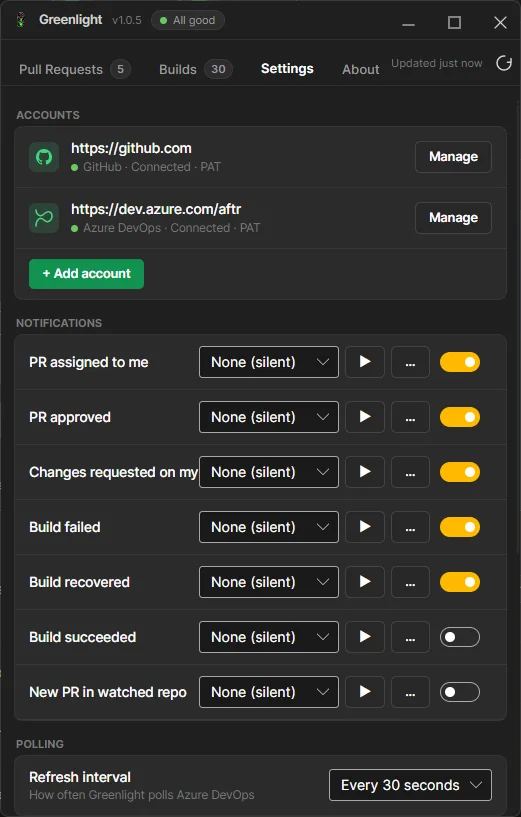
Eight events, eight sound pickers: build started, failed, recovered and succeeded; review requested, approved, changes requested, and a new pull request in a repo you watch. Each one takes a Windows system sound or any .wav on your disk. We'd suggest the pairings below. We can't ship them, because shipping movie audio is how you meet lawyers — but you own a microphone and poor judgement, and that is all this needs.
Suggested .wav
“Yeah, baby, yeah!”
Suggested .wav
“I've got a bad feeling about this.”
Suggested .wav
“Bring out your dead!”
Section 02.B — A stoplight, built in
A traffic light on your desktop. No soldering.
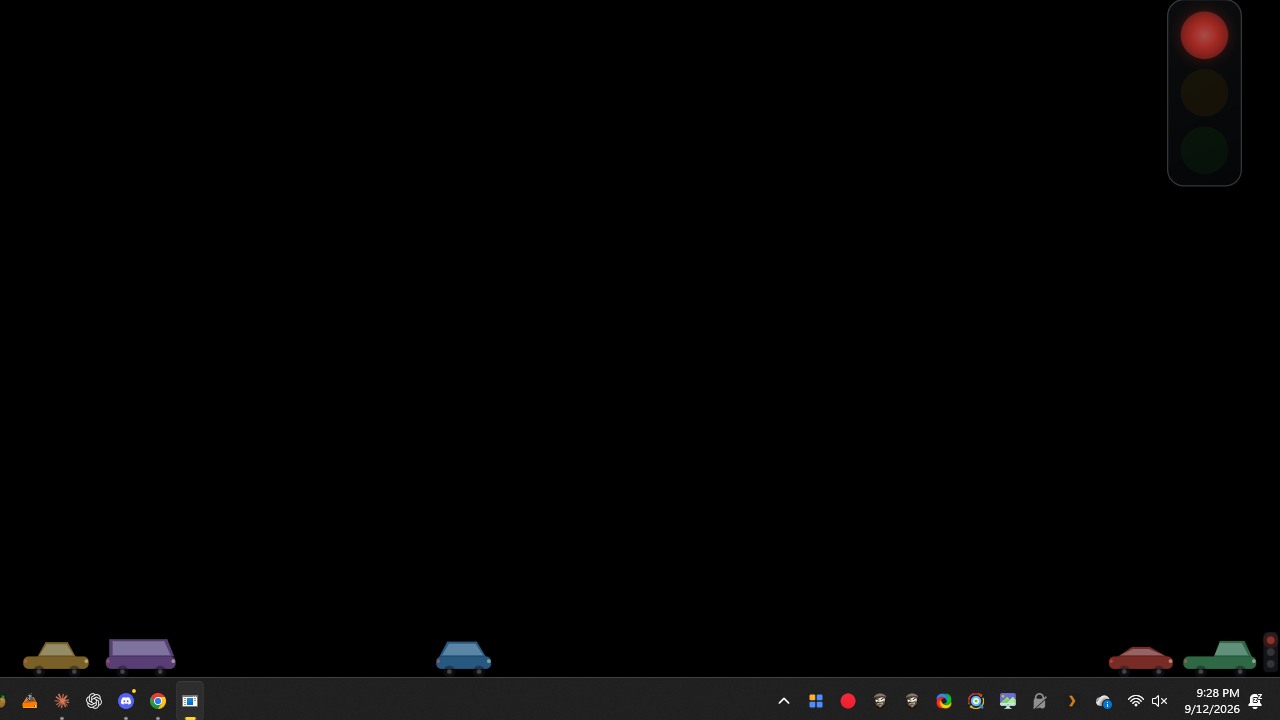
The tray icon is sixteen pixels. That is fine until you have two monitors and a meeting. So Greenlight ships a stoplight you can put anywhere on the screen — the one in the recording up top. Same verdict as the tray icon, because a desktop light that disagreed with it would be worse than no light at all.
- Click-through. It sits on top of everything and never eats a click. It looks at your work; it does not touch it.
- Blinks while building. The lit lamp flashes in time with the tray icon, so you can watch your mistake compile.
- Your size, your spot. A hotkey drops it into edit mode to drag, resize, turn sideways or fade it out. Press it again and it goes back to minding its own business.
- Off by default. A traffic light on someone's desktop should be a choice, not a surprise.
Want one made of actual plastic and relays? That exists too.
Section 02.C — Clients
Things that go red when your build does
A client is a small app that shows your build's colour. Every client is open source, and each runs on the same machine as Greenlight, so none of them need their own login.
 Cars
Rush hour on your taskbar, conveniently caused by whoever broke the build.
Cars
Rush hour on your taskbar, conveniently caused by whoever broke the build.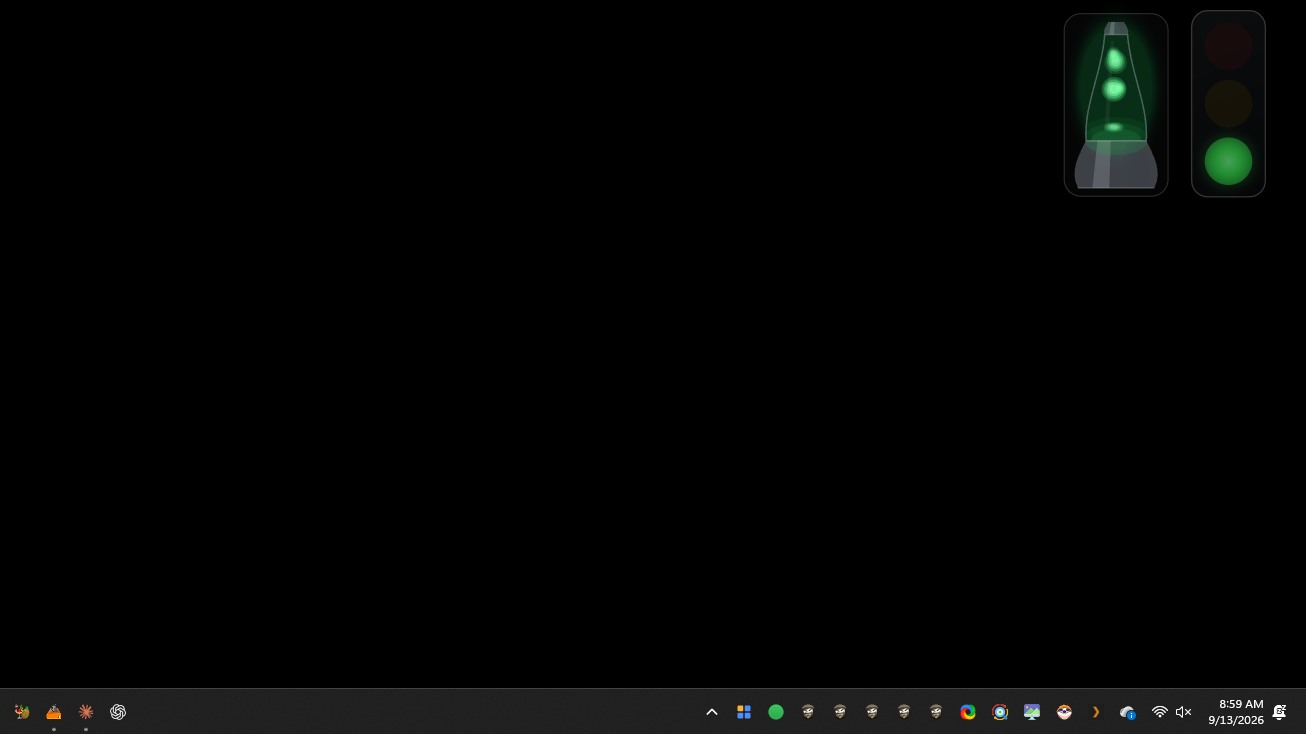 Lava Light
A 70s lava light, because your build status deserved a shag-carpet makeover.
Lava Light
A 70s lava light, because your build status deserved a shag-carpet makeover.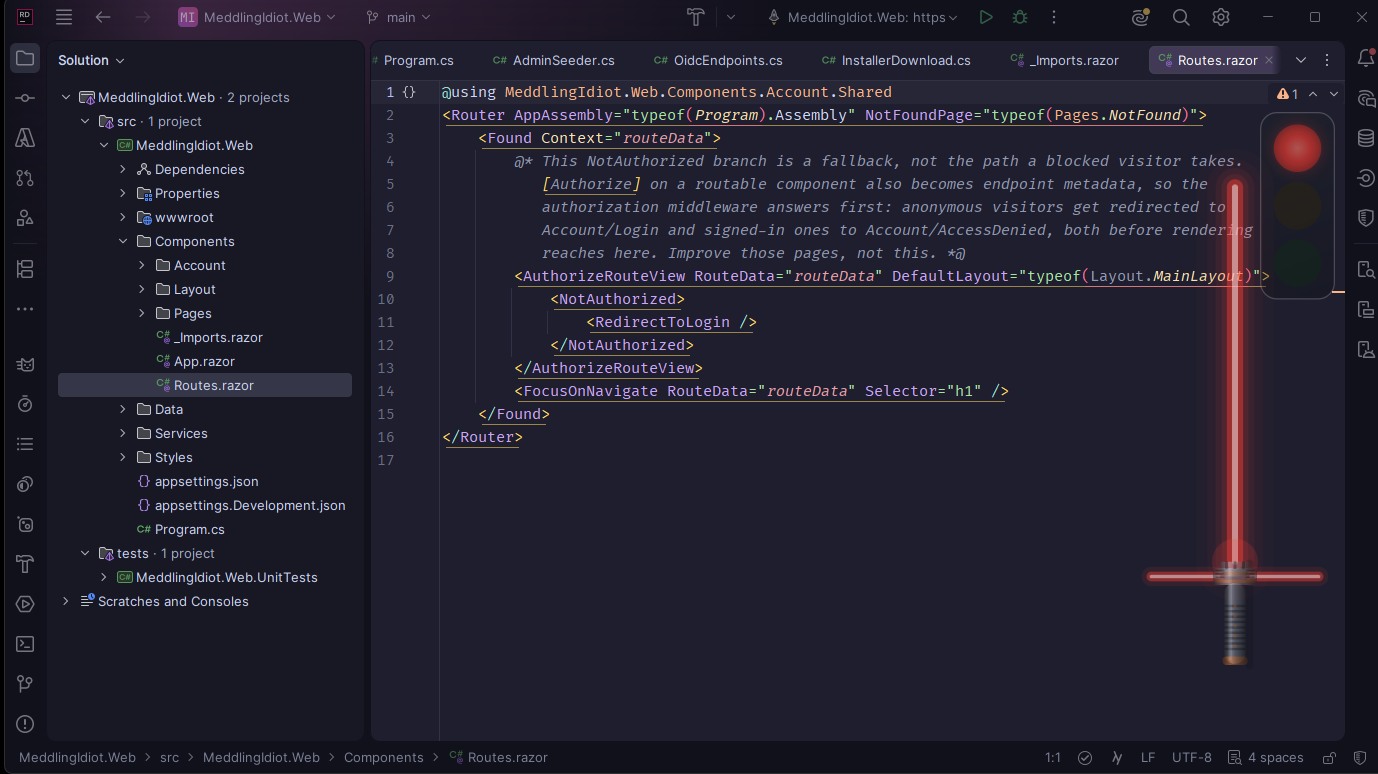 Laser Sabre
A familiar-looking sword. Any resemblance to a certain galaxy is purely coincidental.
Laser Sabre
A familiar-looking sword. Any resemblance to a certain galaxy is purely coincidental. Tower
Little people build a tower when it is green, it sways when yellow, and falls down when red.
Tower
Little people build a tower when it is green, it sways when yellow, and falls down when red.Section 02.D — Make your own
Your app, wearing your build's colour
Greenlight already polls the providers, holds the tokens and decides what colour the day is. The SDK hands your app that verdict live, over a named pipe. No API keys, no polling, no retry loop, and nothing to break when Greenlight isn't running — your app just waits for it.
Fork CarsClient, delete the cars, draw something worse. When it works, send it to the gallery and it gets a card on this site.
MIT licensed, no dependencies, net8.0 and net10.0. Not .NET? The pipe protocol is documented too.
dotnet add package MeddlingIdiot.Greenlight.Sdk

await using var greenlight = new GreenlightClient();

greenlight.Changed += (_, e) =>
    Paint(e.Snapshot.Status, e.Snapshot.IsBuilding);

await greenlight.StartAsync();

// That's it. Go draw a duck.
Section 03 — Signal codes
Four lamps. Infinite disappointment.
Everything passes
Nothing needs you. Suspicious. Go get coffee before somebody notices.
Running, or a review is waiting
Someone wants your opinion. You will give it. It will be ignored.
A pipeline is broken
It worked on your machine. Truly one of the great unsolved mysteries.
Disconnected, or clueless
Same emotional state as your access token on day 91.
Section 04 — What it watches
Everything you'd otherwise keep a tab open for
W-01
Pull requests
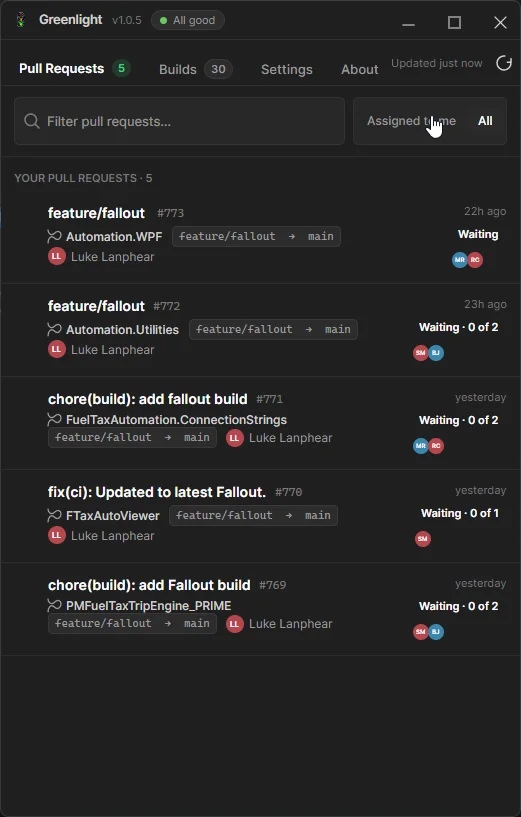
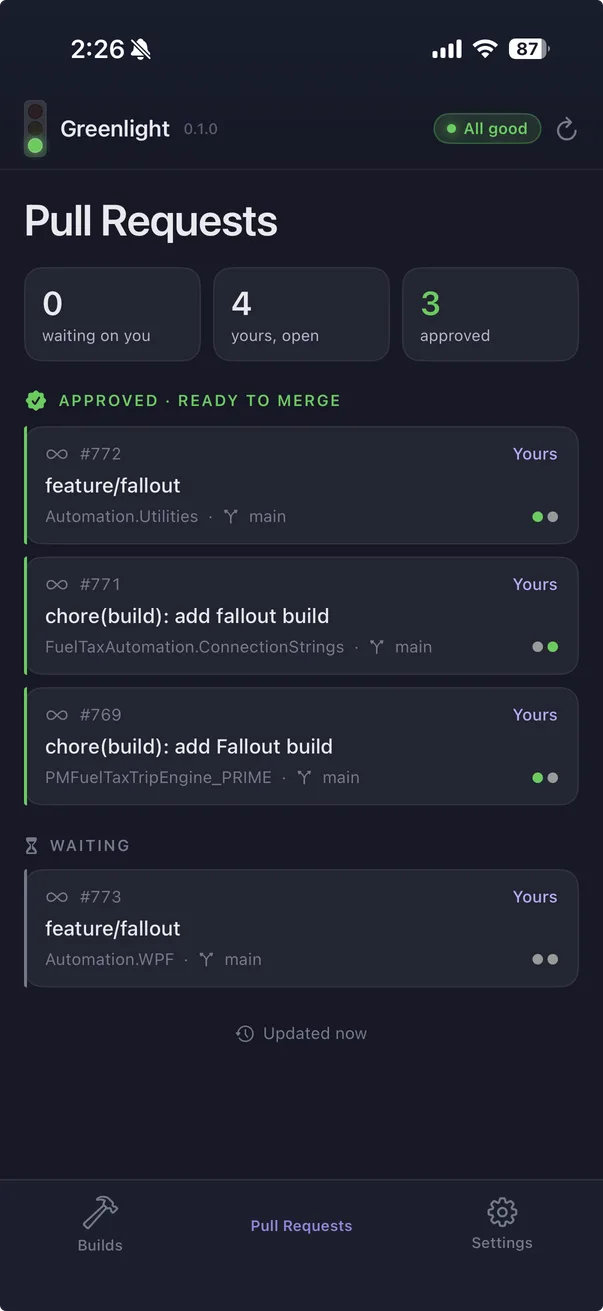
Awaiting your review, your own PRs, approvals and change requests — grouped, badged and filterable across every project.
W-02
Pipeline builds
Every run with a compact history strip: needs attention, in progress, and the ones that just passed by accident.
W-03
GitHub checks
Check runs and workflow results sit beside Azure DevOps builds in the same list, because your team never agreed on one provider.
W-04
Tray & toasts
A colour-coded tray lamp and actionable toasts. Open the item, or dismiss it and pretend you never saw it.
W-05
Secure by design
PATs and OAuth tokens live in Windows Credential Manager, DPAPI-encrypted. Never a config file called tokens_FINAL.txt.
W-06
A real desk stoplight
A plugin contract drives actual hardware. Steady colour for the verdict, flashing while it builds, visible from the hallway.
The long version, feature by feature, lives on the features sheet.
Section 05 — The hardware bit
A real stoplight on your desk, wired to your build
Greenlight ships a plugin contract for physical build indicators. Implement one small interface, drop the DLL in the plugins folder, and your lamp gets every state change — steady colour for the verdict, flashing while a build runs. The included K8055 plugin drives a three-lamp desk light over a USB board. Your teammates will hate it, which is how you know it works.
- A 32-bit bridge process talks to the legacy board driver over stdin.
- Restart a lamp from Settings when its board wanders off.
Coming soon — video course
Hooking up the stoplight, on camera
A short demo series is planned: parts and tools, relays and the K8055 board, the x86 bridge, the plugins folder, and a pipeline broken on purpose so the plastic lamp goes red on film. Mistakes left in, because that is the part you actually need.
No waitlist, no email capture. It will simply appear on the lamp page.
Section 06 — Commissioning sequence
Running in about a minute
- 01
Connect
Paste a Personal Access Token or sign in with Azure AD, then choose the projects, repos and pipelines worth watching.
- 02
Greenlight watches
It polls on a schedule you set, and never writes anything back. Read-only, so the damage stays manual.
- 03
Glance
The lamp stays honest. Click a row to jump to the PR or build. That is the entire user journey.

Section 07 — Your tokens stay yours
Nothing leaves the machine
Storage
Personal Access Tokens live in Windows Credential Manager, DPAPI-encrypted per user, keyed by connection.
Not stored in
settings.json, log files, or the meddlingidiot.com account you downloaded this with — that one knows your email address and nothing else.
Network
Your remotes and the update feed. That is the entire list.
Scopes
Read-only throughout: Code (read), Build (read), Identity/Profile (read) on Azure DevOps; Pull requests (read) and Actions (read) on GitHub, or classic repo.
Section 08 — On your phone
Greenlight for iOS — coming soon
The same stoplight, the same two providers, on the home screen and the Lock Screen. Native Swift, because a home-screen widget has to be one — iOS renders it out of process, and nothing else gets to draw there.
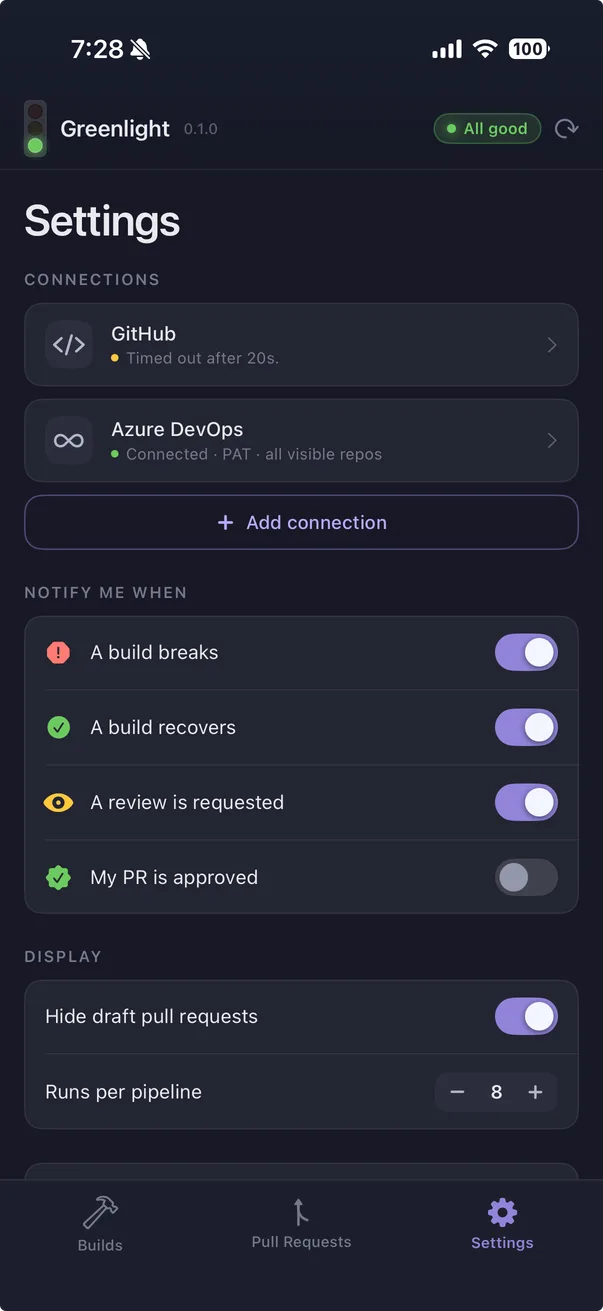
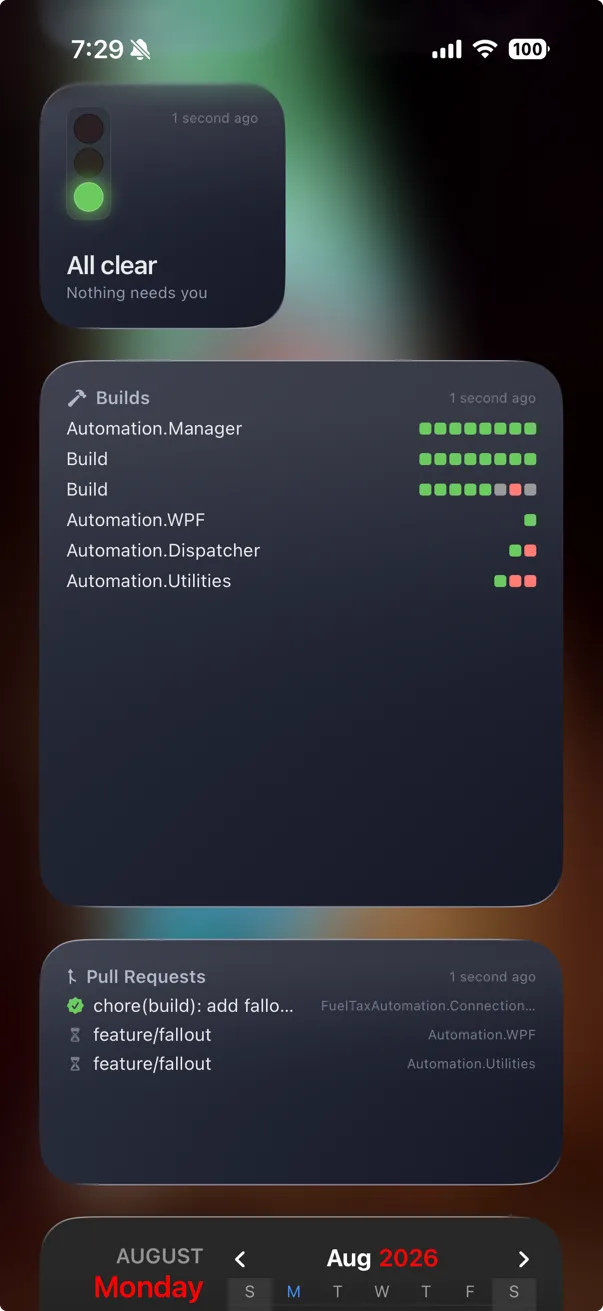
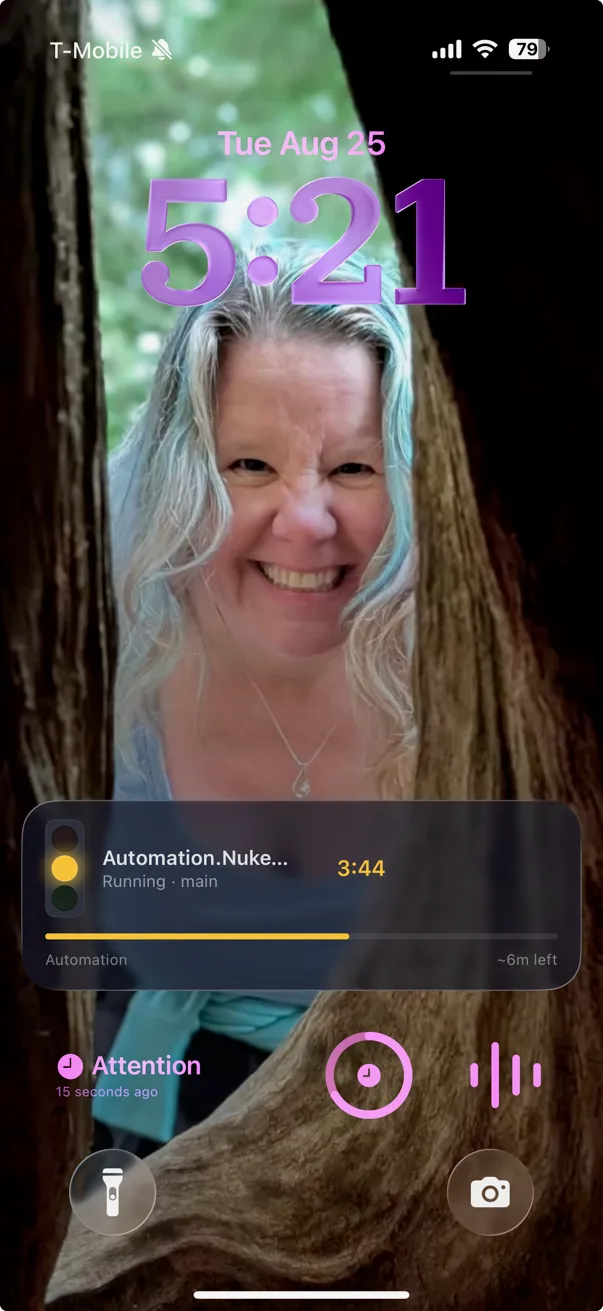
Home screen
The stoplight at a glance, your pull requests, or recent pipeline runs as pass/fail squares. Small, medium and large.
Lock Screen
Circular, rectangular and inline accessories. They render monochrome, so every state carries a shape as well as a colour — the light is still readable when the hue is gone.
Dynamic Island
A tracked build compacts to a lamp and a timer, and expands to the pipeline, the branch and its progress.
Honest about iOS
The desktop app polls every thirty seconds because it is always running. A phone is not. iOS schedules background work when it feels like it, so every widget shows how old its data is and dims when that answer stops being good enough. No widget here will ever claim to know something it does not.
In TestFlight now, not yet on the App Store. Same tokens, same read-only scopes, same rule about credentials never leaving the device — on iOS they live in the Keychain rather than Credential Manager.
Section 09 — Testimonials, three of them allegedly
Praise from people who exist
“I used to find out main was broken from a standup. Now I find out from a small red circle, thirty seconds after I cause it.”
“We were about to pay per seat for a cat to tell us the same thing. This is free for now and it does not purr at me.”
“The desk stoplight has ended two arguments and started five. Net positive.”
Actually real
“Handier than a pocket on a shirt”
Three of the above were written by us and are labelled as such. The green one is a verbatim quote from somebody who actually uses it.
Section 10 — Anticipated complaints
Questions you were about to ask
Does it fix the build?
No. It reports the failure quickly and in a tasteful enamel red. The fixing part remains, tragically, yours.
Why not just use the cat?
If you need Jenkins or TeamCity today, honestly, use the cat — it watches far more than we do, for now. More platforms are coming; we just did the fun parts first. If what you need is a desktop traffic light that shouts Monty Python when main breaks, you are already in the right place.
Mac or Linux?
It's a Windows tray app wired into Credential Manager. This page works on your phone, which is legally almost the same thing.
A physical stoplight, really?
Plugin contract plus a K8055 relay bridge. Nothing communicates healthy team culture like a red lamp nobody will admit to owning.
Is there a course for building it?
Planned. Parts, relays, the 32-bit bridge, plugin folder, and a pipeline broken on purpose for the shot. Details on the lamp page.
GREENLIGHT
Put a light on it.
Free while it is in beta, small, and determined to stay out of your way until the exact moment it shouldn't.
Download the installerv0.0.1 · Windows 10 / 11 x64 · installs per user